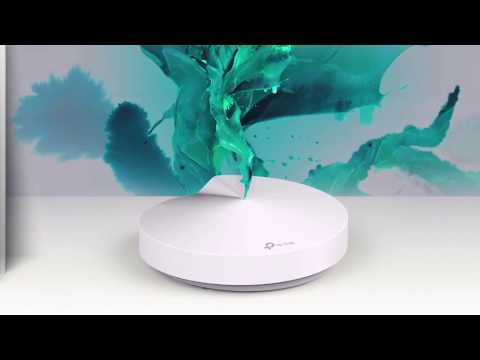

TP-Link Deco
In-app purchases

star
244K reviews

Rated for 3+
info
10M+
Downloads

Rated for 3+
Learn more


About this app
Welcome to the Deco App — the perfect way to set up your mesh WiFi in minutes and control your whole network.
Our simple-to-follow guide walks you through the setup process and even gives you suggestions for whole home coverage.
Once connected, you’ll have instant access to check every connected device, manage your kids’ online activity, and control your home network effortlessly. All from the palm of your hand.
- EASY TO SET UP AND MANAGE
• Quickly set up with step-by-step instructions
• Find the best spots to place additional Deco units for maximum coverage
• Control your WiFi network without turning on your computer
• Check your connection status and network speed at a glance
• Find out who or what is connecting to your network
• Instantly block unwanted devices with a tap
- PROTECT YOUR WIFI
• Detect potential threats and receive warnings before things get serious
• Create a guest network to give friends internet access while shielding your private network
• Block unauthorized access and inappropriate content
• Run network performance tests
- FIND FAMILY TIME WITH PARENTAL CONTROLS
• Set a time restriction and pause the WiFi on kids’ devices
• Control when specific devices have WiFi access
• Make room for more family time with Schedules
- PRIORITIZE YOUR FAVORITE DEVICES
QoS lets you choose which devices always have the fastest connections. Set a schedule to assign device priority for different times of the day.
- KNOW EVERYTHING ABOUT YOUR NETWORK
Detailed reports help you understand your home WiFi and everything connected.
- CREATE YOUR SMART HOME
Connect, control, and check the status of your smart cameras, plugs, and lights – all from the Deco app.
Features available in Deco may vary by model and software version. Stay tuned for updates as we add new features and products to the Deco family!
Privacy Policy: https://privacy.tp-link.com/app/Deco/privacy
Term of Use: https://privacy.tp-link.com/app/Deco/tou
HomeShield Subscription Service Agreement: https://privacy.tp-link.com/others/homeshield/sa
HomeShield Privacy Policy: https://privacy.tp-link.com/others/homeshield/policy
For more information about Deco, visit www.tp-link.com
Our simple-to-follow guide walks you through the setup process and even gives you suggestions for whole home coverage.
Once connected, you’ll have instant access to check every connected device, manage your kids’ online activity, and control your home network effortlessly. All from the palm of your hand.
- EASY TO SET UP AND MANAGE
• Quickly set up with step-by-step instructions
• Find the best spots to place additional Deco units for maximum coverage
• Control your WiFi network without turning on your computer
• Check your connection status and network speed at a glance
• Find out who or what is connecting to your network
• Instantly block unwanted devices with a tap
- PROTECT YOUR WIFI
• Detect potential threats and receive warnings before things get serious
• Create a guest network to give friends internet access while shielding your private network
• Block unauthorized access and inappropriate content
• Run network performance tests
- FIND FAMILY TIME WITH PARENTAL CONTROLS
• Set a time restriction and pause the WiFi on kids’ devices
• Control when specific devices have WiFi access
• Make room for more family time with Schedules
- PRIORITIZE YOUR FAVORITE DEVICES
QoS lets you choose which devices always have the fastest connections. Set a schedule to assign device priority for different times of the day.
- KNOW EVERYTHING ABOUT YOUR NETWORK
Detailed reports help you understand your home WiFi and everything connected.
- CREATE YOUR SMART HOME
Connect, control, and check the status of your smart cameras, plugs, and lights – all from the Deco app.
Features available in Deco may vary by model and software version. Stay tuned for updates as we add new features and products to the Deco family!
Privacy Policy: https://privacy.tp-link.com/app/Deco/privacy
Term of Use: https://privacy.tp-link.com/app/Deco/tou
HomeShield Subscription Service Agreement: https://privacy.tp-link.com/others/homeshield/sa
HomeShield Privacy Policy: https://privacy.tp-link.com/others/homeshield/policy
For more information about Deco, visit www.tp-link.com
Welcome to the Deco App — the perfect way to set up your mesh WiFi in minutes
Updated on
Safety starts with understanding how developers collect and share your data. Data privacy and security practices may vary based on your use, region, and age. The developer provided this information and may update it over time.
- No data shared with third partiesLearn more about how developers declare sharing
- This app may collect these data typesPersonal info, Photos and videos and 3 others
- Data is encrypted in transit
- You can request that data be deleted


Ratings and reviews
237K reviews

Reiki Kylie
- Flag inappropriate
- Show review history
February 21, 2024
Very minimal customisation. I get that it's to make the user experience easy, but when you disallow changing of channels which results in devices not being able to connect to the wife, then that seems like an oversight to me. My PS4 and Nintendo Switch is unable to connect to the 5Ghz wifi due to the channel being set too high (my console are Asian and have limited channel range), so I'm stuck with slow wifi for these gaming consoles. Fix this!
7 people found this review helpful

Chris Rupp
- Flag inappropriate
April 21, 2025
App used to display upload/download rates. Now it doesn't; it just displays '--' where it's supposed to show these. App doesn't have bandwidth usage over time. App is supposed to give me weekly and monthly reports. Instead, it gives me NOTIFICATIONS that such reports are 'available', but then when I click the notifications and poke around in the app itself, such reports don't show/exist. I'm in the spot where they're SUPPOSED to show, I have the reports turned on / enabled, but there's a bug.
106 people found this review helpful

nr mn
- Flag inappropriate
- Show review history
September 16, 2020
If u think this is an advanced WiFi AP, u r wrong. U cannot even specify the WiFi channel number (both 2.4 & 5 GHz). U cannot give separate name (SSID) for 2.4 GHz and 5 GHz WiFi. The M9 only can be setup with this app; no, u cant setup from the device's webpage. The webpage is there, just to view the AP's status. If u have limited ethernet ports at home, the WiFi backhaul is useful but if u have plenty of ethernet ports, the ethernet backhaul is useless. Bcoz roaming is terrible, slow.
1 person found this review helpful
What’s new
Fixed some bugs and improved stability.
Rated for 3+
Learn moreApp support
About the developer
TP-Link Systems Inc.
app.support@tp-link.com
10 Mauchly
Irvine, CA 92618-2306
United States
+1 866-225-8139


